My Role: Product Designer (UX) with Product Ownership
- Led UX strategy and design for the Workflows platform
- Owned information architecture, interaction models, and system-level UX
- Partnered deeply with PM and Engineering on sequencing and feasibility
- Drove product vision for workflow unification and extensibility
- Designed for enterprise customers including Google, Accenture, Barclays, PepsiCo, and Principal
- Acted in a PM-capacity for nearly a year, shaping scope, prioritization, and rollout phases
The Problem Statement
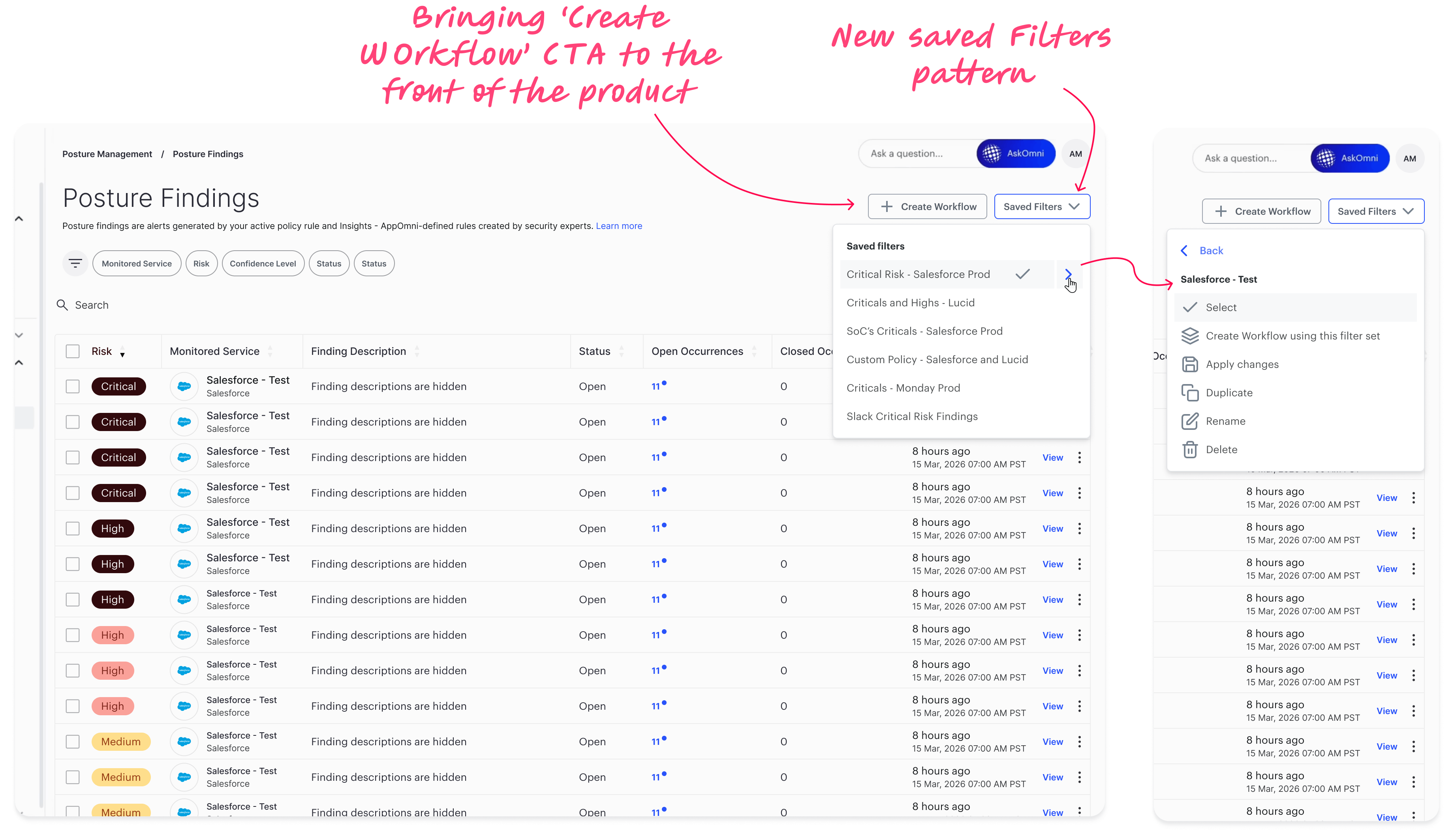
As AppOmni grew in scope and enterprise adoption, workflows became the critical layer that connected security insights to real-world action.
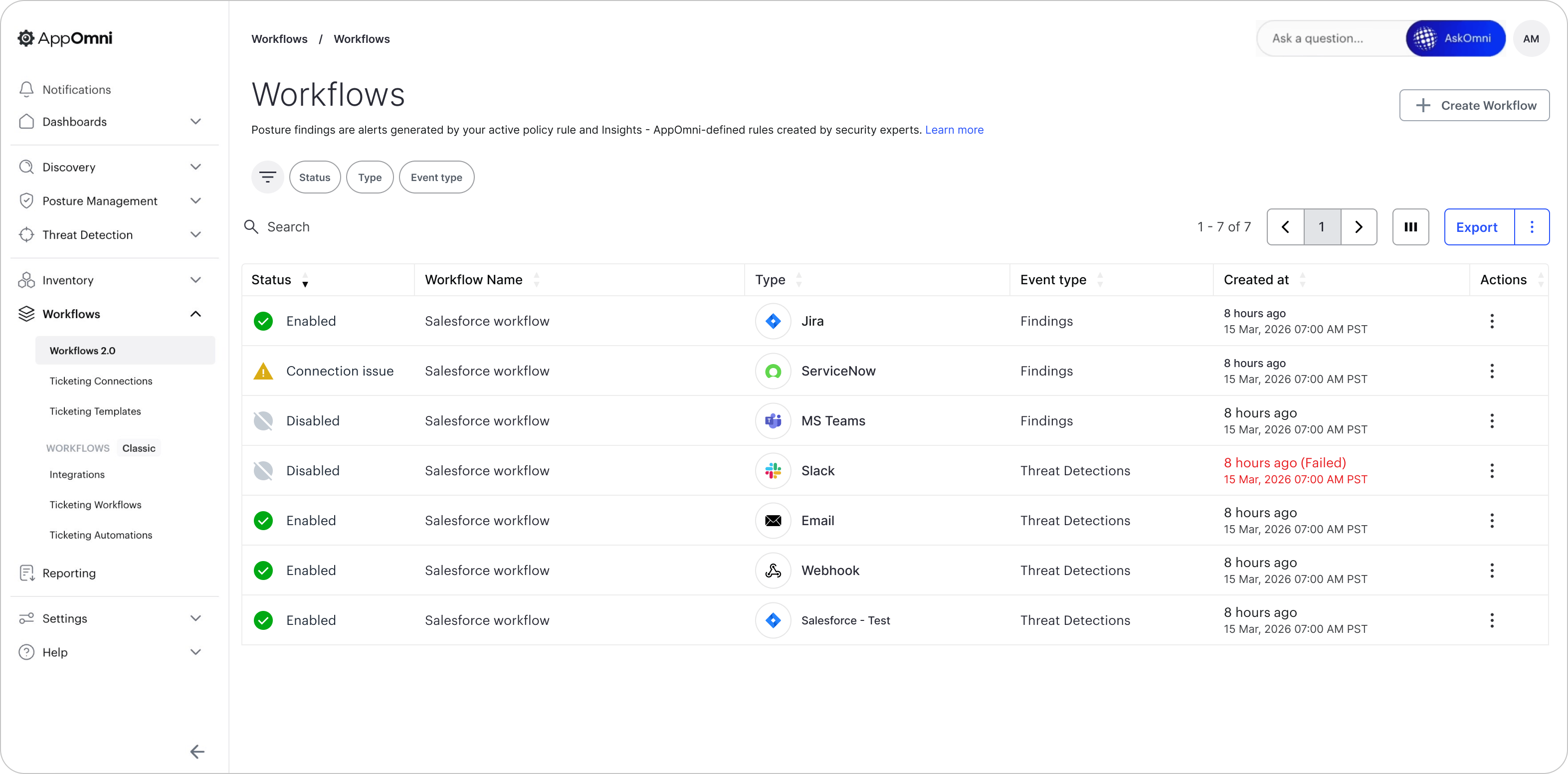
However, over time, automation, ticketing, and notifications evolved in silos — creating fragmented experiences that limited scalability and confused users.
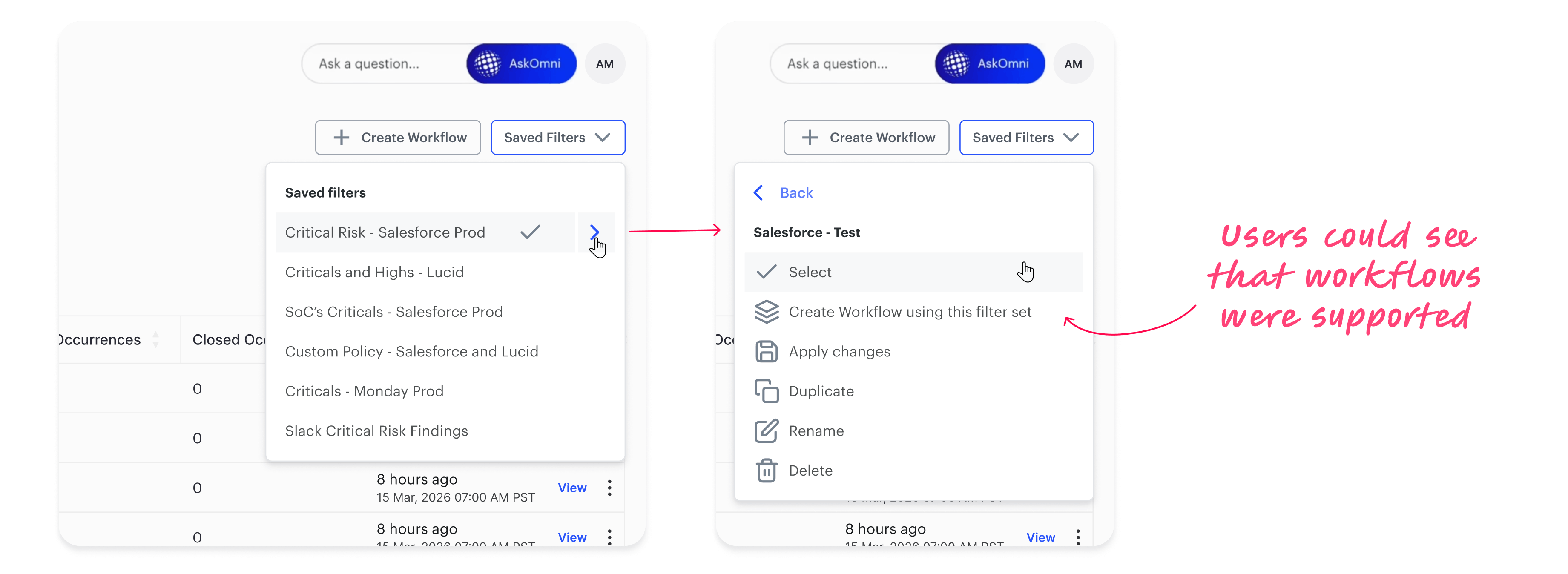
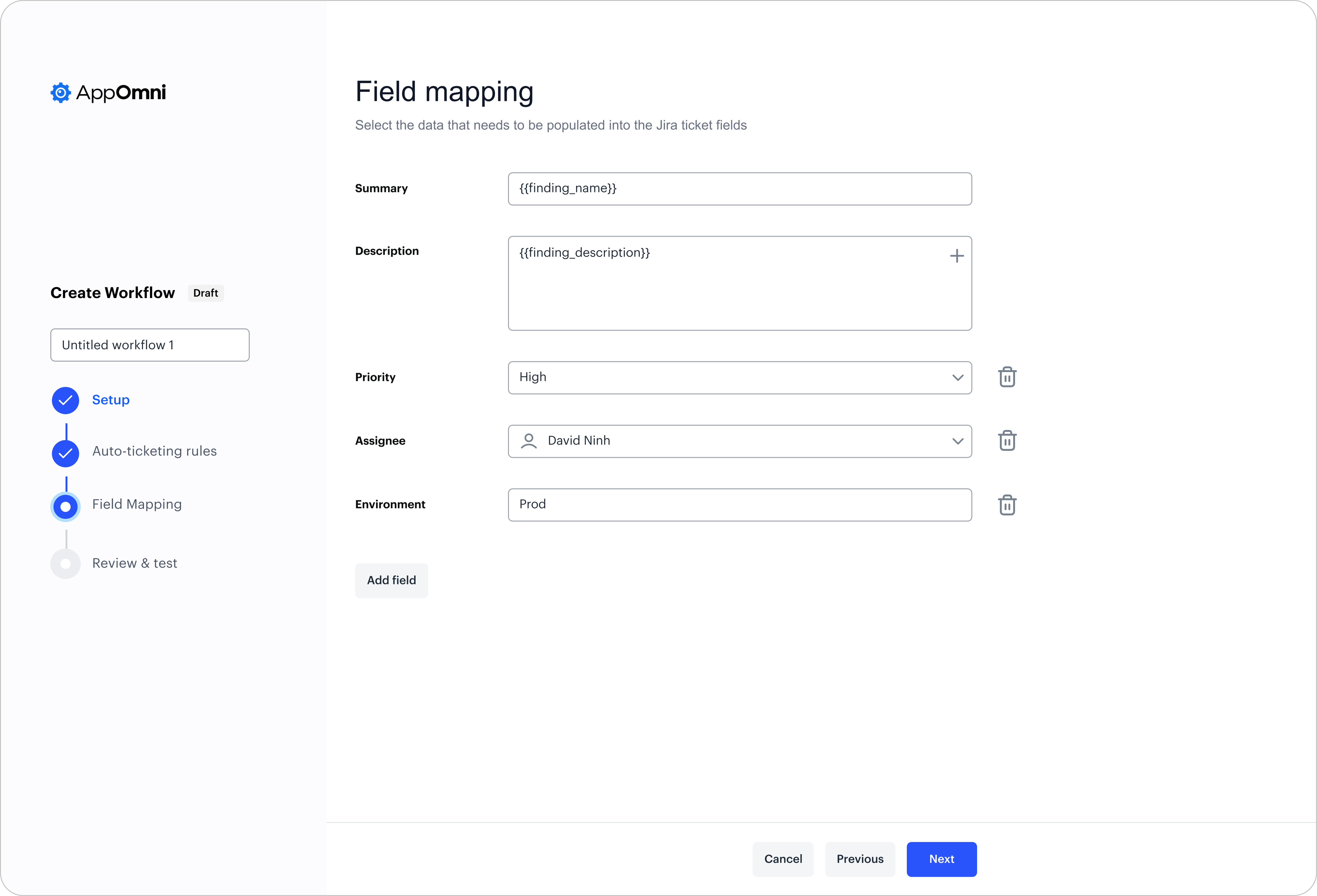
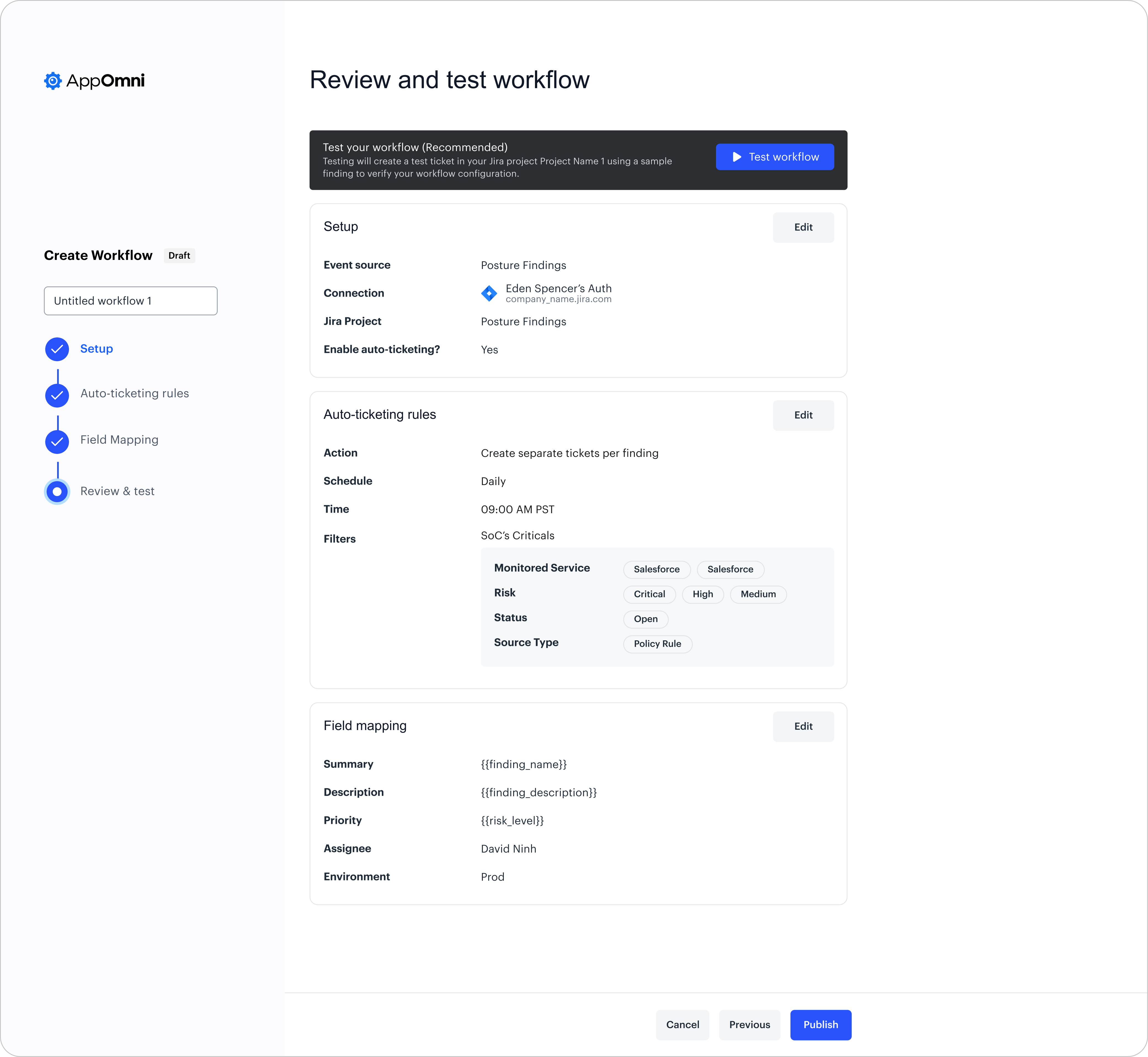
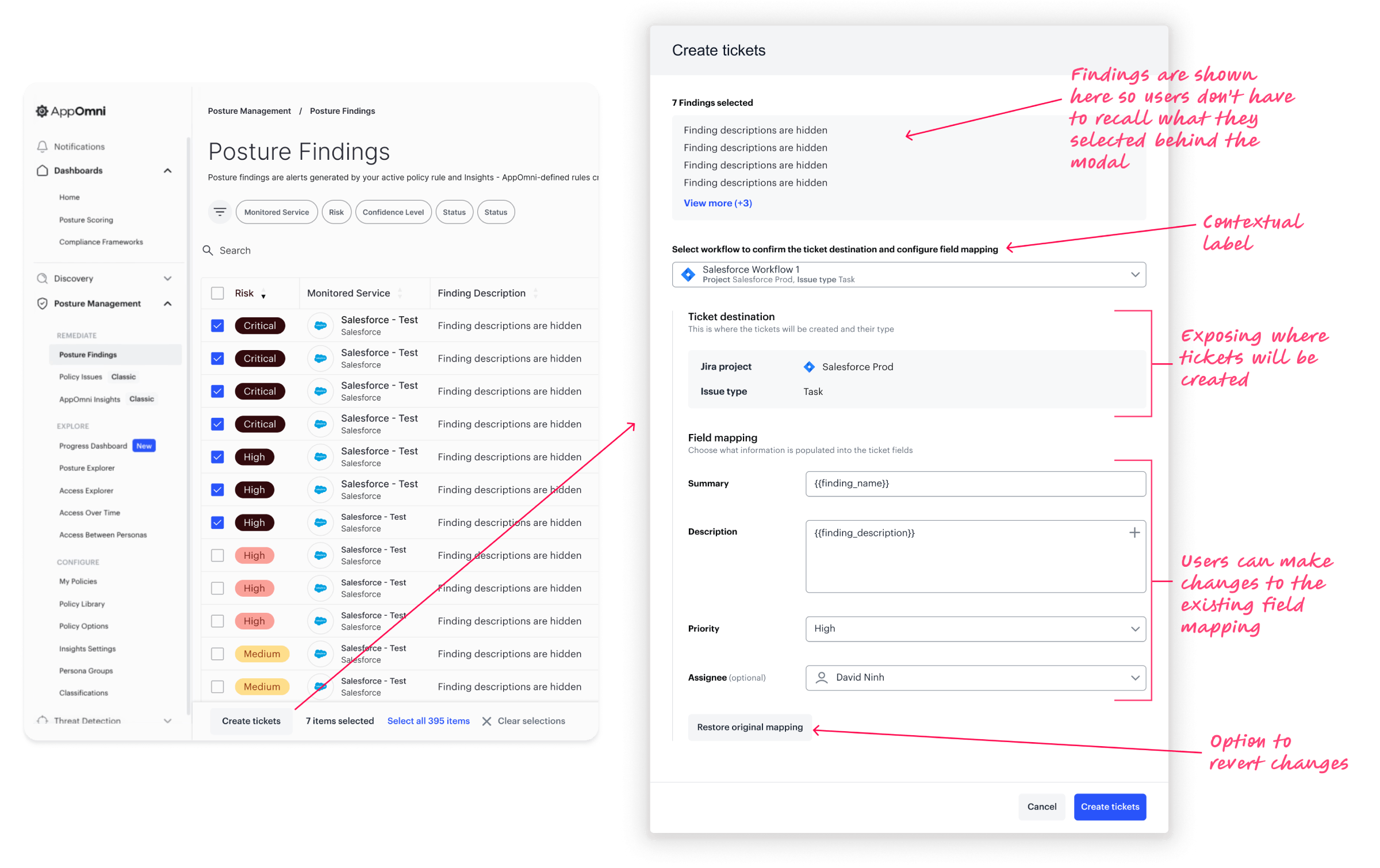
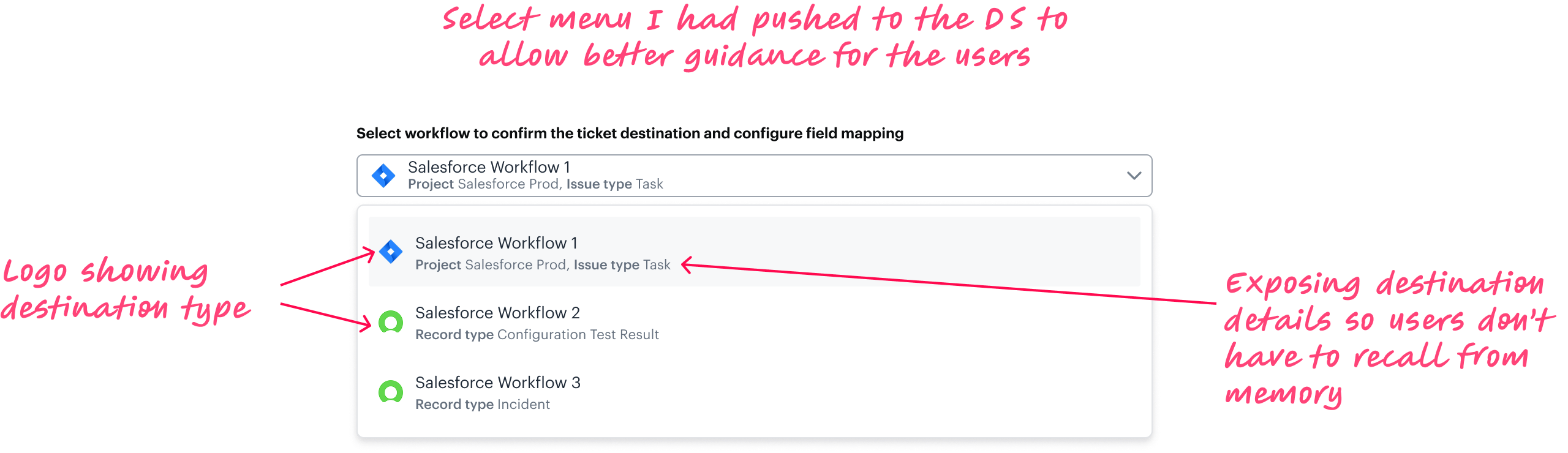
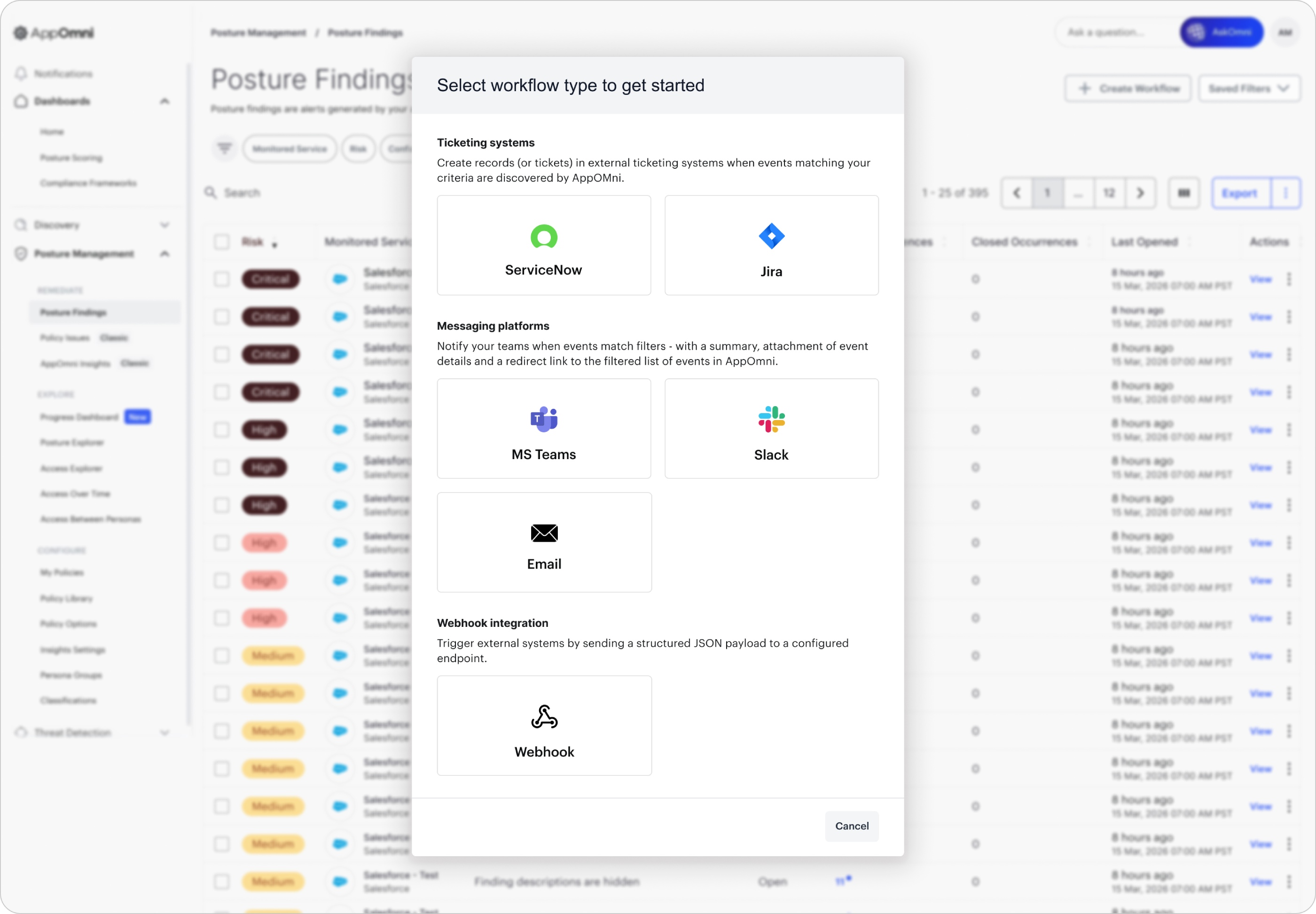
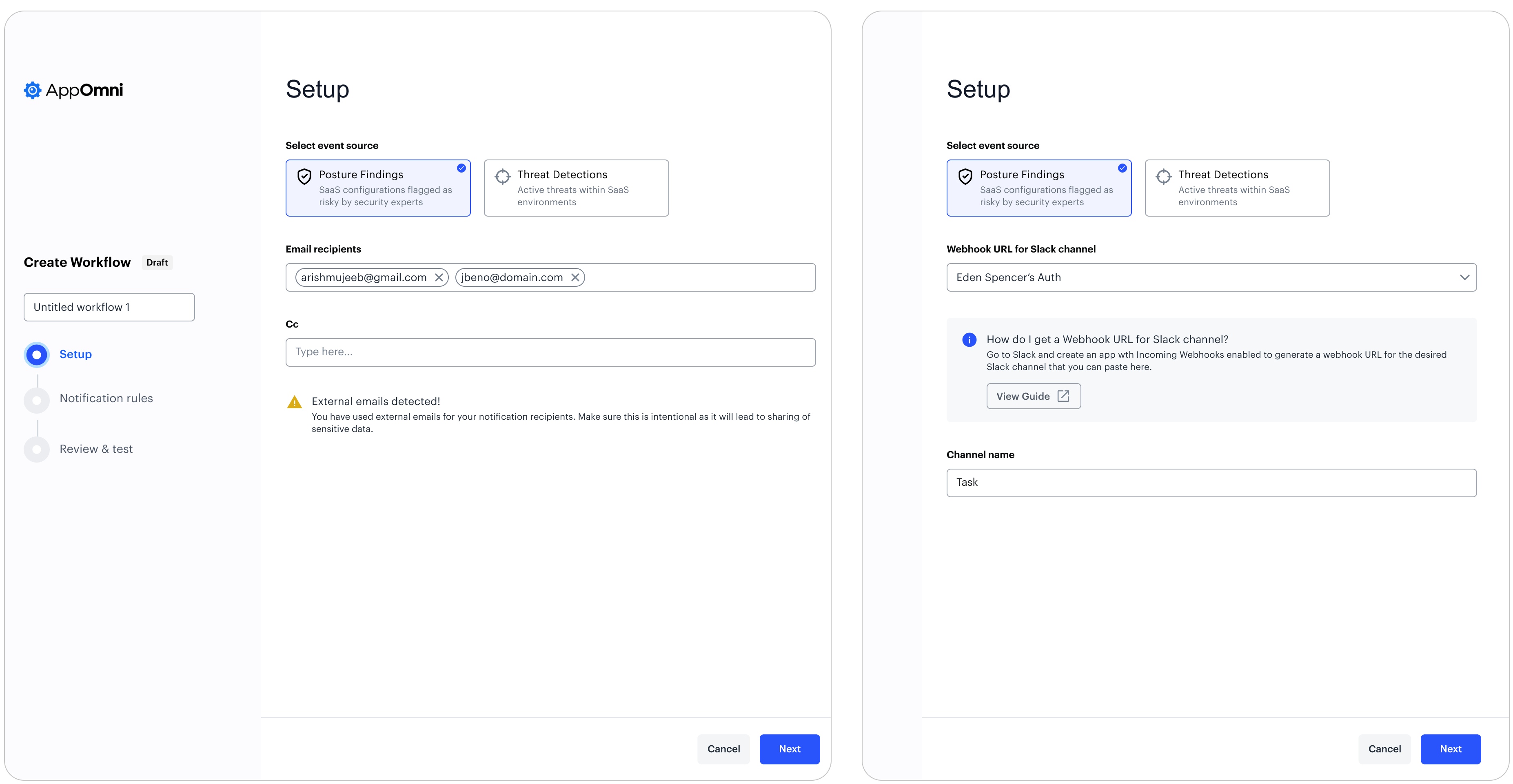
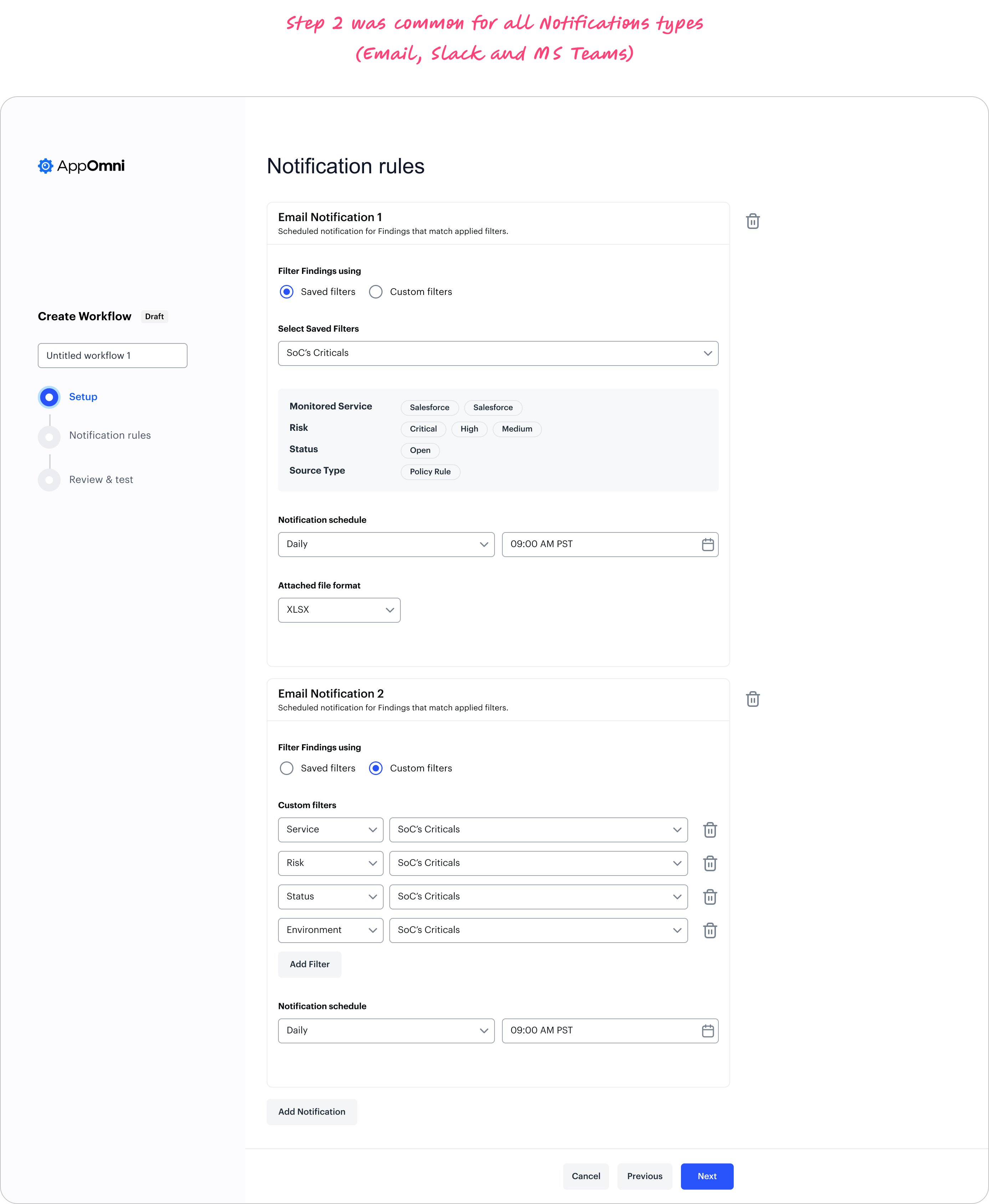
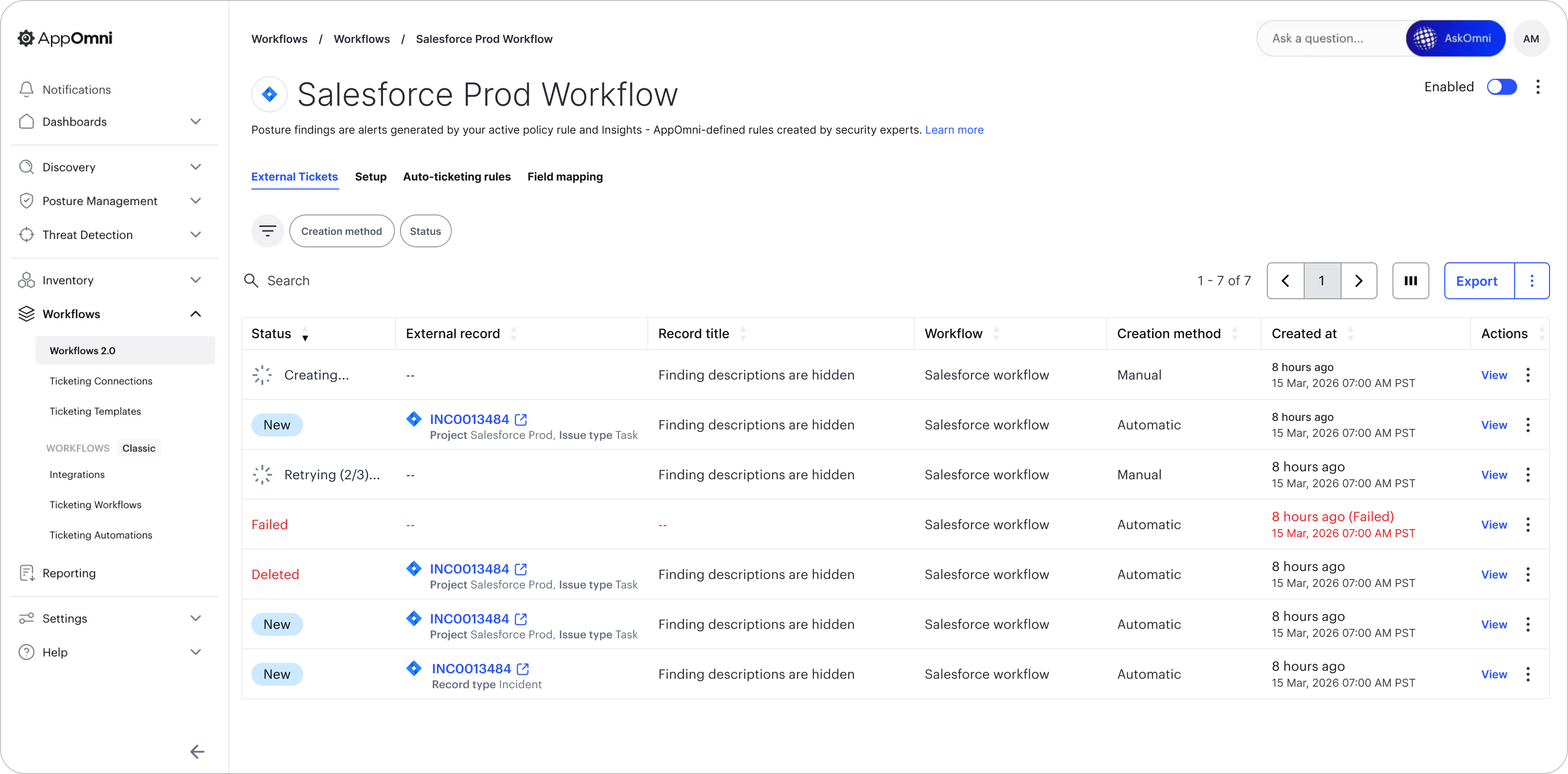
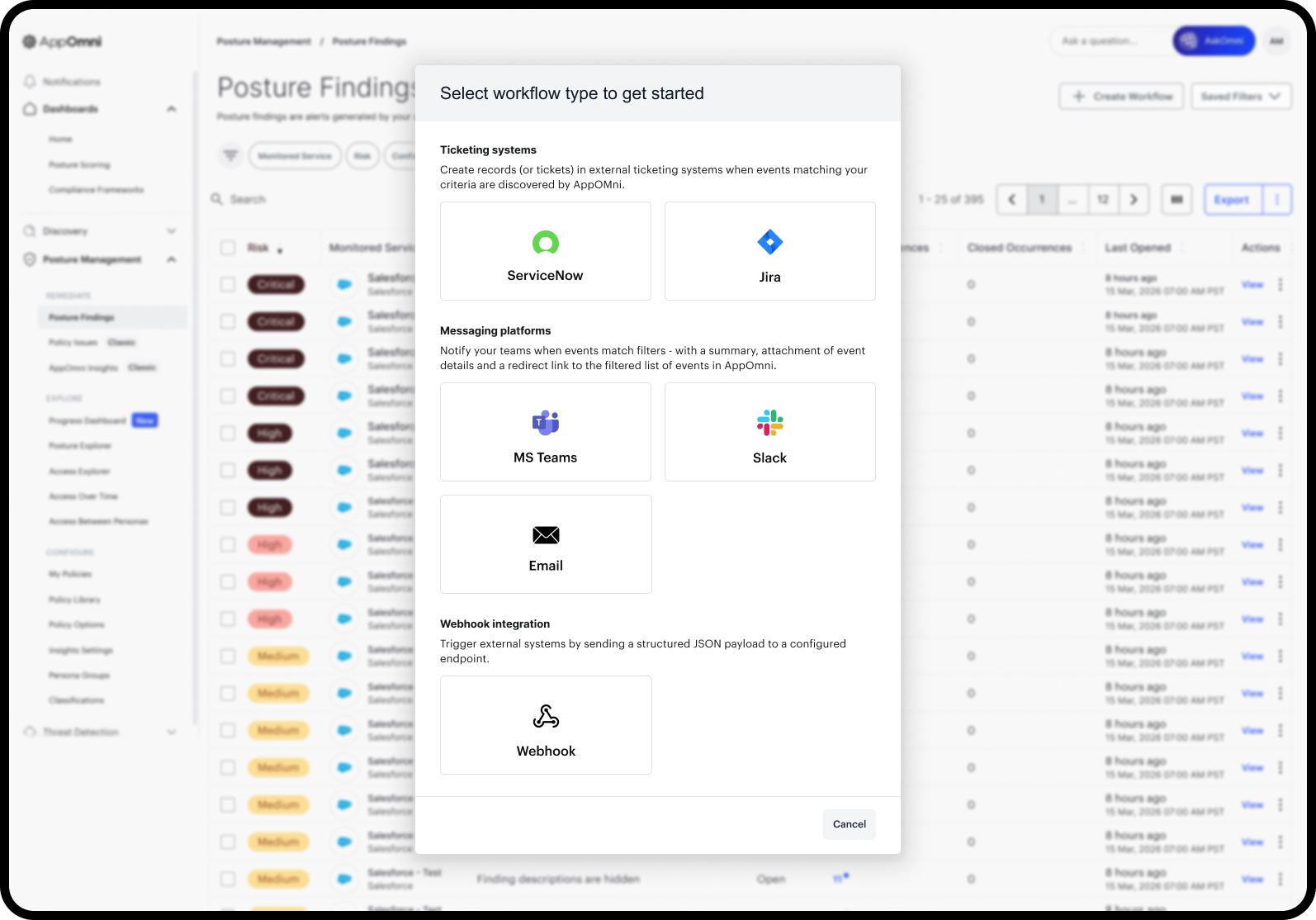
This case study covers how I re-architected the workflows experience in phases, transforming it from a set of disconnected features into a cohesive operational system that supports ServiceNow, Jira, Slack, Microsoft Teams, email, webhooks, and configuration compliance — all from a single mental model.
Research and Key Themes
Operationalization challenges don’t show up in a vacuum.
They show up in the messy reality of how security teams actually work.
To make sure I wasn’t redesigning workflows based on internal assumptions, I grounded the redesign in continuous customer discovery and operational research.
Over ~2 years, I averaged 2–3 customer conversations per week, alongside ongoing stakeholder sessions with PMs, fellow designers and engineering.
That adds up quickly — far more than I can reasonably show in a portfolio (or that anyone would want to scroll through).
So instead of listing “hundreds of calls,” and journey map researches I’m summarizing the key themes:
1. Signal-to-noise control (reduce alert fatigue)
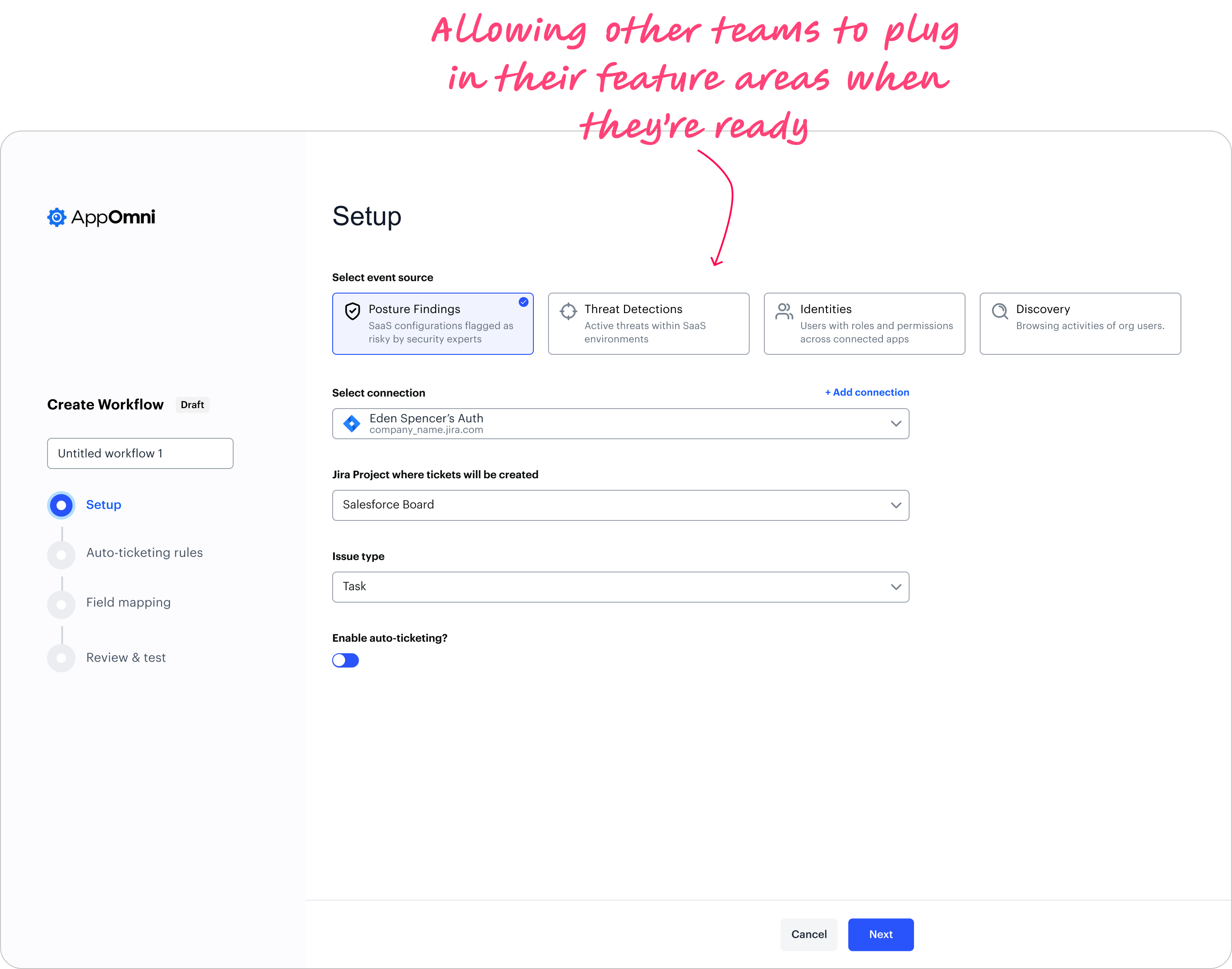
2. Targeted routing by ownership because Enterprise have different teams for different SaaS apps. Ticketing was limited to policy issues despite broader detection capabilities
3. Ticketing beyond Posture - Threats (to start with).
4. Actionable notifications (not just “counts”) with summaries and attachments so users don't require platform login.
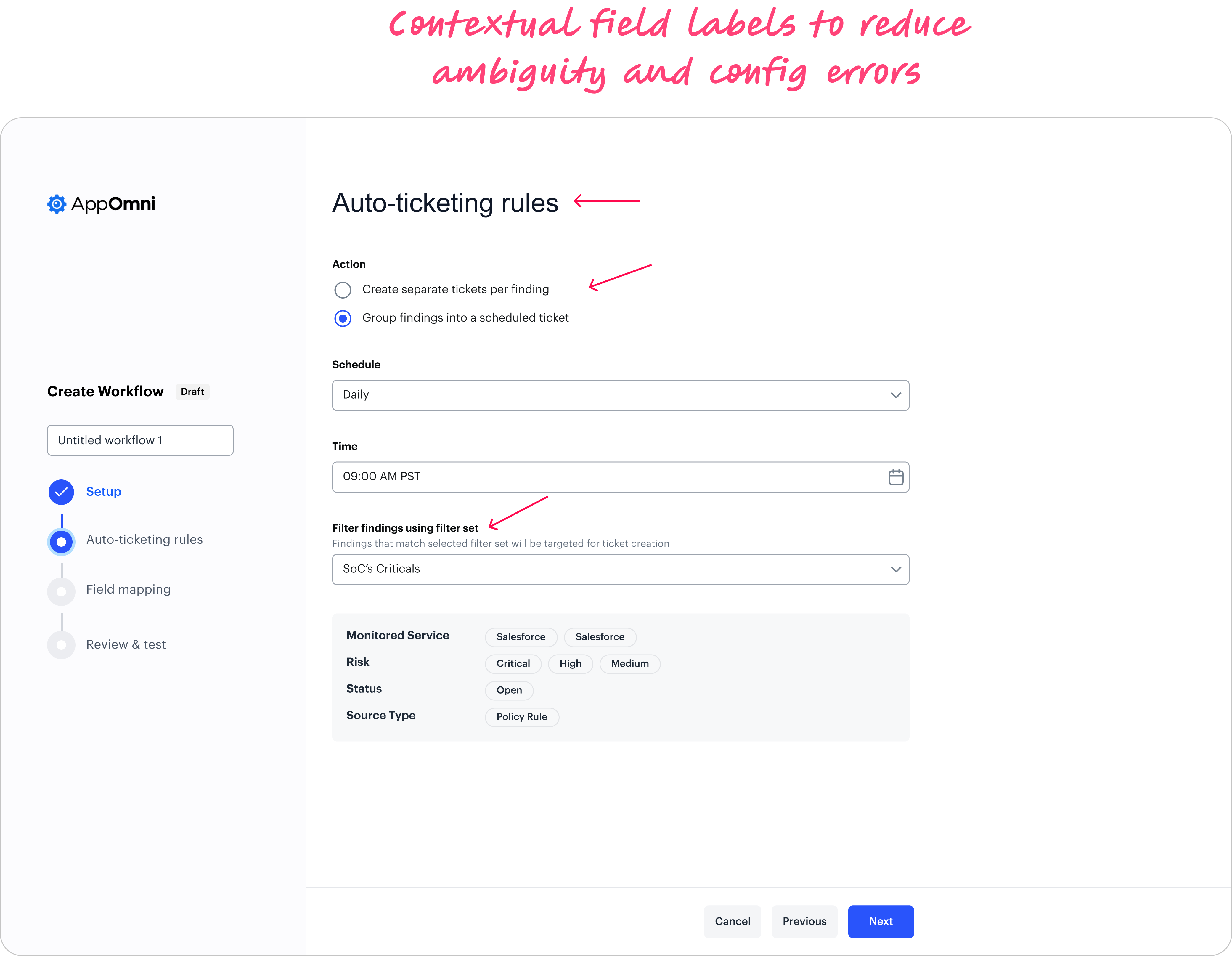
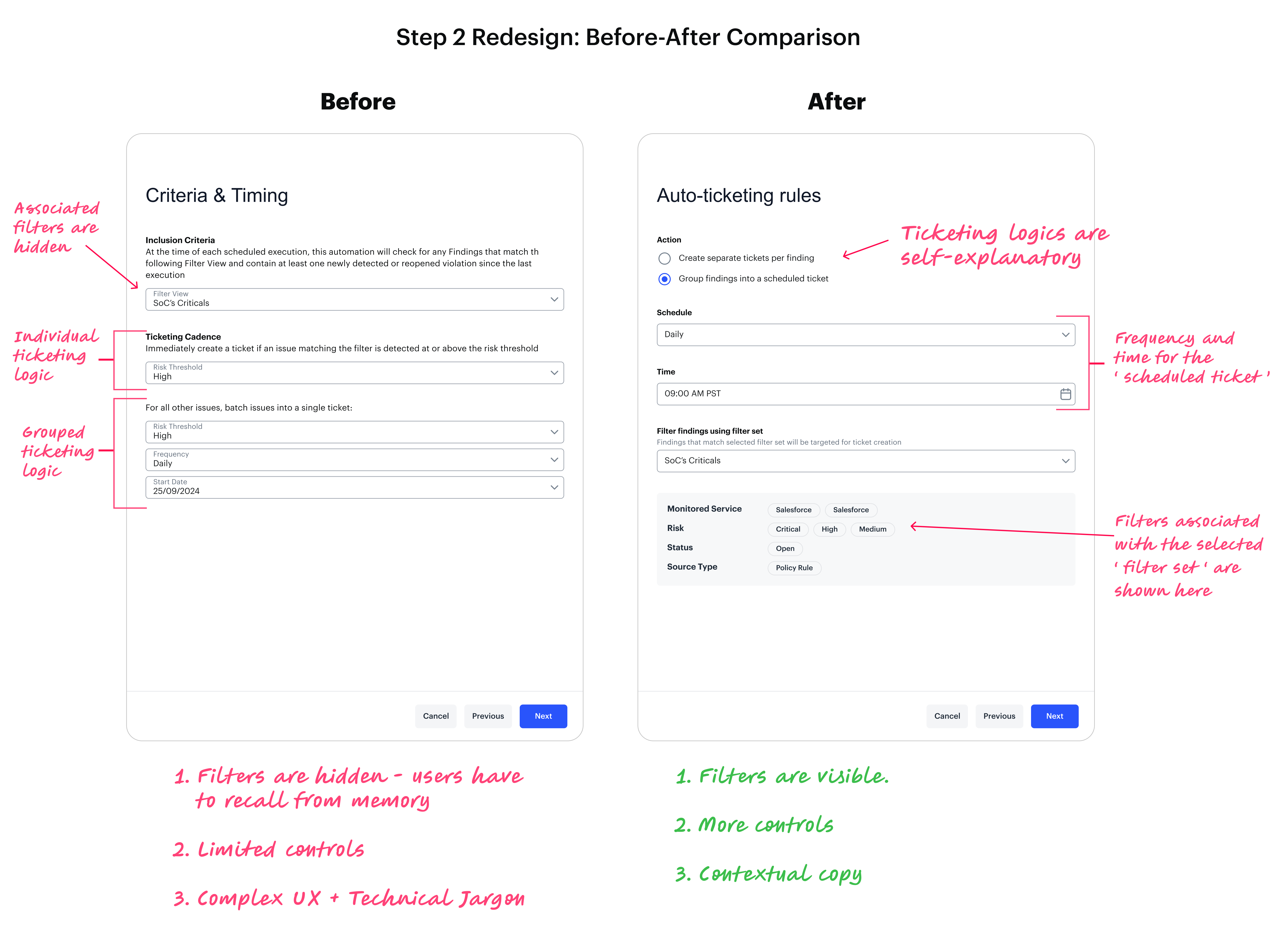
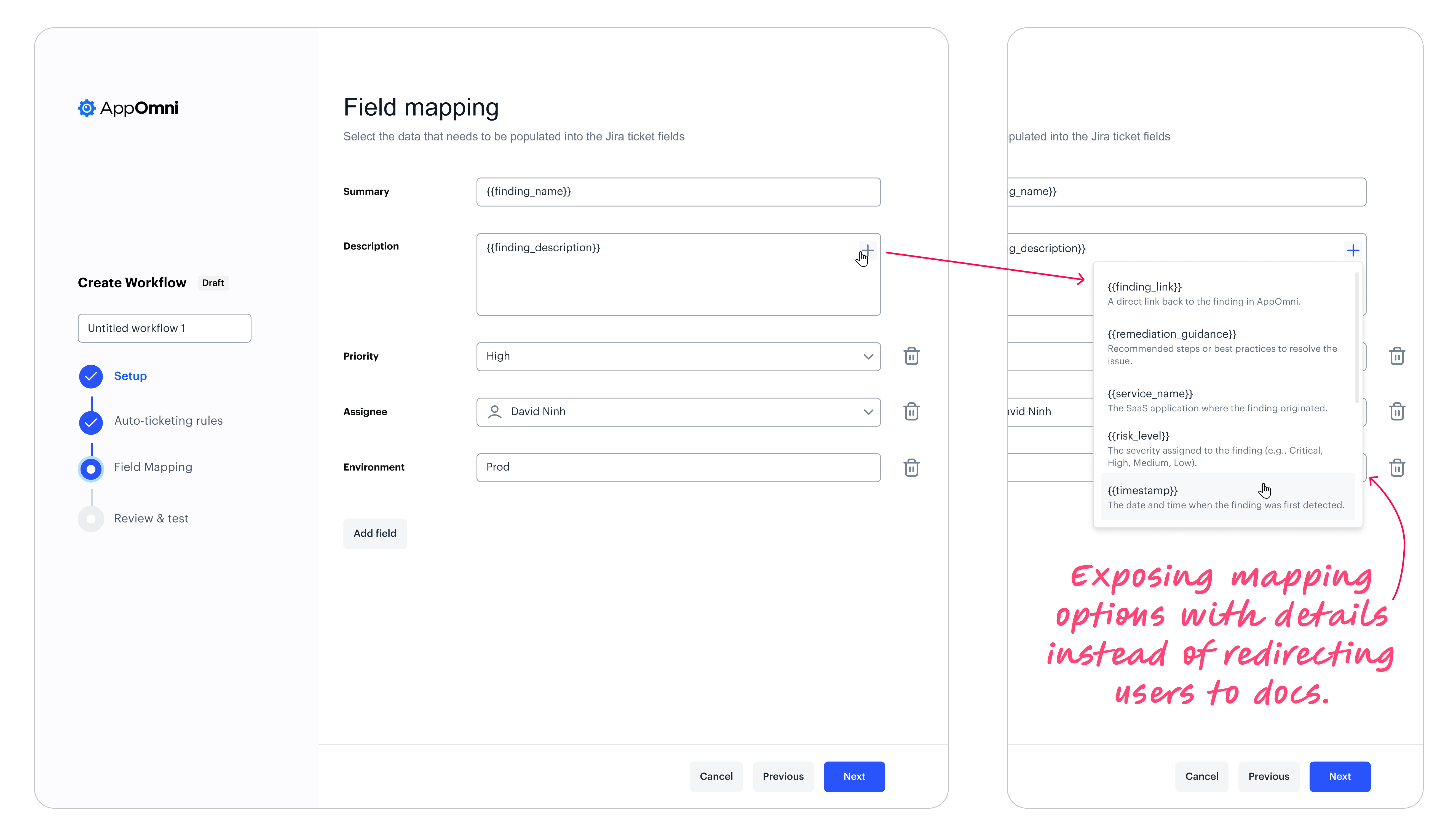
5. Workflows UX exposed internal mechanics instead of outcomes.
Across organizations, the most consistent need was simple:
When something important happens, get the right details to the right team, in the right tool, at the right time — without noise.
This became our north star (our guiding principle) as it did three things:
1. It aligned the experience to user intent (not backend objects).
2. It allowed workflows to scale across modules (Posture → TD → Identities → future sources).
3. It gave us a consistent framework to unify ticketing + messaging destinations over time.